
Web#
The gptme web UI (gptme-webui) is the richest way to work with gptme and your agents: a chat interface that shows what the agent is doing and what it produced, rather than a transcript alone.
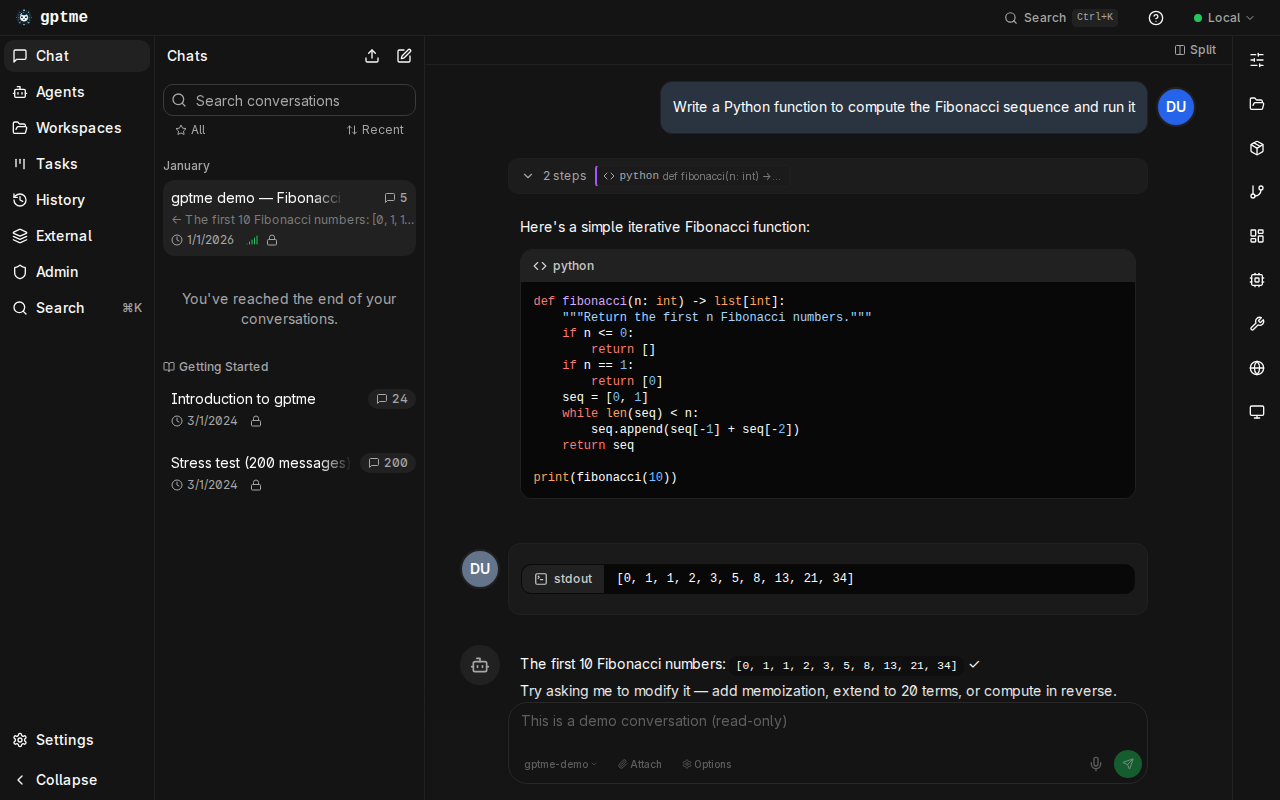
Alongside the conversation it renders artifacts the agent created, panels that tools declare at runtime (sandboxed iframes and live apps with their own lifecycle), browser and computer previews of what the agent sees, tool activity, and a branch map of the conversation. You can create and manage persistent agents from it, and watch a full desktop through the integrated computer-use view (see How to Automate GUIs with Computer Use).
An app the agent starts is reachable through the server’s authenticated
/preview/<port>/ proxy, so live previews work the same whether you run
gptme-server yourself (see Server), use the App, or sign in to
gptme.ai — hosted instances additionally get each preview on its
own URL. (Originally a standalone repo,
now merged into the main gptme repository.)
Features#
Streaming responses, with tool calls and their output shown inline
Artifact and panel surfaces: previews of what the agent made and what its tools expose
Integrated computer-use view
Create and manage persistent agents
Conversation history, search, branching, and export
Mobile-friendly responsive design and dark mode
Running it#
The modern UI is bundled in gptme release packages. Run gptme-server and
open http://localhost:5700.
Note
Release packages ship the modern UI, which gptme-server serves from
gptme/server/webui-dist. A source checkout without make bundle-webui
has no UI to serve: the API keeps working and the browser routes explain how
to build or point at one. From the repository root, build it with
(cd webui && npm run build) && make bundle-webui, or set
GPTME_WEBUI_DIR to an existing build.
Frontend development#
See the gptme-webui README. When Vite runs separately on port 5701, allow that development origin:
gptme-server --cors-origin 'http://localhost:5701'
Note
Cross-origin UIs and localhost (Chrome 142+). When a web UI served from
another origin connects to a gptme-server on localhost, recent
Chromium browsers gate the connection behind a Local Network Access
permission prompt. That check runs before CORS headers are evaluated, so
--cors-origin is necessary but not sufficient — you must also click
Allow. Serving the UI from the server’s own origin (the default) or from
a local origin such as http://localhost:5701 avoids the prompt.